Generative Pages is a new AI-powered feature in Power Apps that lets users design functional, model-driven app pages through natural language conversations with an app agent. In the demo, Chris shows how quickly the tool can generate a job requisition app, infer intent, and write React code behind the scenes. The feature streamlines app creation by connecting directly to Dataverse tables and allowing instant publishing of fully functional pages.
Hi, my name is Chris. I am a senior technical consultant and a Power Platform developer here at Rockhop. Today we're taking a look at a brand-new AI feature in Power Apps called Generative Pages. Generative Pages is currently in preview inside the model-driven app experience. It allows you to talk to a large language model and work with it to design an app in real time using natural language.
Until now, we have had plans in Power Apps, and that is a great way to interact with the backend and Dataverse. You can create tables and create relationships between those tables, as well as populate them with data, all with AI. However, if you've been paying attention to the AI app development space and tools like ChatGBT or maybe Lovable, you might have wondered when you'd be able to do something like this in Power Apps. Well, Generative Pages is exactly that.
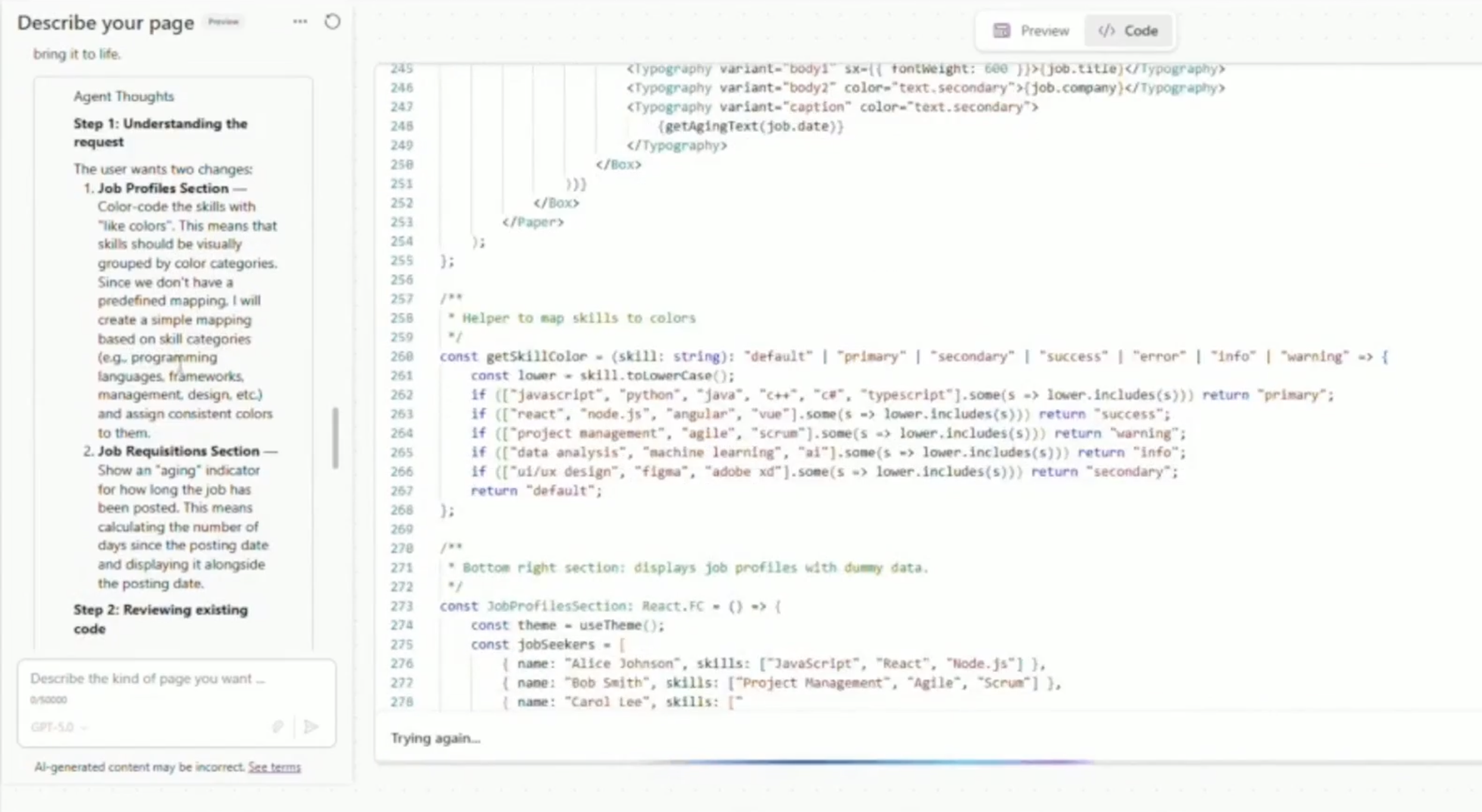
Here, I've started iterating with the app agent to build a job requisition application. This took me about 5 minutes. You'll see me requesting changes. The app agent thinks about what it is that I'm asking, makes a plan, and then starts implementing. I've been really impressed with its reasoning skills and how it's able to infer meaning from what I'm saying. It does feel like it understands me without me having to work too hard to make that happen or craft the perfect prompt. If you're used to chatting with ChatGPT5, this is going to feel really natural.
Now, if you've built model-driven apps before and you're seeing this code, you might get nervous. Don't worry, Generative Pages is technically writing React code behind the scenes, and I can check that code myself before publishing, but you don't need to be an expert. In addition, since you're inside your model-driven app, you can give the agent access to those tables directly in the chat. This is not a mockup tool. These are functional pages inside your app using your data. When you're ready, you just click save and publish, and that page becomes immediately available within your model-driven application.
At Rockhop, we are really excited about Generative Pages and a host of other AI features in Power Platform. If you're interested in learning more, subscribe for more videos like this one or reach out to us. We help clients every day with projects just like these, and we'd be happy to talk to you.